kabar4d Casino & Sportsbook Mobile App
We at kabar4d designed our platform for mobile from the ground up—Android and iOS users can access football markets, live-dealer tables, and slot games from their phone within minutes. Our mobile experience handles account login, DANA and e-wallet deposits, and withdrawal requests with the same security and data protection we apply across our platform. This page walks you through downloading, installing, and logging in on your device.

- Update
- StartFirst Game
- Installin
Mobile gaming has become the primary way people access kabar4d. Whether you are commuting to Jakarta, watching Liga 1 matches on your break, or accessing live roulette from home, our mobile app and web interface adapt to your screen size and network conditions. We prioritize speed, reliability, and account data safety—every login and deposit confirmation is encrypted, and your personal information (name, ID number, payment method) is protected under the same KYC standards we apply on desktop.
The Android APK and iOS browser paths differ slightly in setup, but both lead to the same account interface. We support all major Android versions and iOS devices, and our web app works offline on mobile (with cached data loading instantly when you reconnect). Installation takes under two minutes; account verification and your first deposit can follow immediately after login.
Install kabar4d on your device
We offer three paths to access kabar4d on mobile: download the Android APK directly to your phone, open iOS through your browser, or use our web app on any device. Each method logs you into the same account, so your balance, betting history, and withdrawal requests remain synchronized.
Installation walkthrough
-
Download the installer
For Android, visit the kabar4d download page and tap the APK link; for iOS, open Safari and visit kabar4d.app, then tap the iOS button.
-
Complete the installation
Android will prompt you to allow unknown sources (see Tips below for details); iOS will open kabar4d in your browser immediately—no extra steps needed.
-
Create or sign in to your account
Enter your email or username and password, or complete our registration form with your name, date of birth, phone, and ID number for KYC verification.
-
Deposit and start playing
Choose DANA, e-wallet, mobile banking, or local payment Virtual Account to fund your account; your deposit is confirmed instantly, and you can access football betting, live tables, and slots right away.

Mobile experience: app, browser, and web app
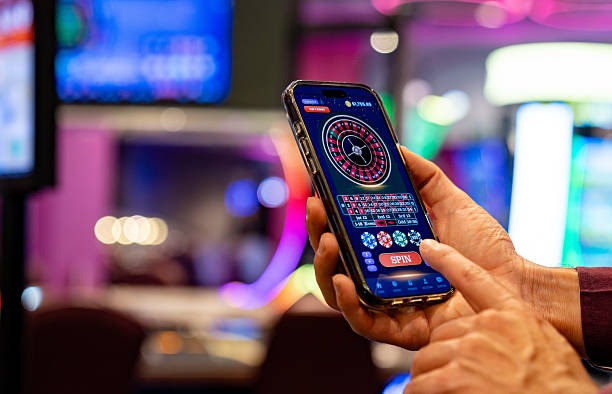
The kabar4d Android APK works as a dedicated app—it caches data so matches, odds, and your account details load instantly even on a slow connection. Push notifications alert you to live-match updates and withdrawal confirmations. The iOS and web versions run through your browser but work identically: tap a football fixture in the Piala AFF or Liga 1, place your bet, and your stake is recorded in seconds. Both the Android app and browser experience support two-factor authentication, password resets via SMS or email, and account holds for security verification if we detect unusual activity. For users on weak 3G networks, the mobile interface compresses images and removes heavy animations—your login and deposit confirmations still process normally because encryption and account data do not depend on bandwidth.
Device compatibility and requirements
We support Android 7.0 and higher; most phones released in the last five years run this version or newer. For iOS, Safari works on iOS 12 and above. If your device is older, we recommend updating your operating system—updates are free and improve security. Tablets (iPad, Samsung Galaxy Tab) work with kabar4d using the same interface; the app and browser simply scale to your screen size. Storage requirements are minimal: the Android APK takes about 45 MB, and the browser version uses no installation space at all.
Troubleshooting common installation issues
If Android blocks the APK with an "Unknown sources" warning, this is a standard security prompt. Go to your phone's Settings → Security → Unknown Sources and toggle it on temporarily (you can turn it back off after installing kabar4d). Older Android versions may ask for this permission during download; newer versions use Google Play Protect and may require you to confirm you trust kabar4d. If you see a certificate warning on iOS, this is rare but can happen if your phone's time setting is incorrect—go to Settings → General → Date & Time and ensure it is set to automatic. We use standard HTTPS encryption, so any certificate error signals a device configuration issue, not a problem with our platform. If installation hangs, clear your browser cache (Settings → Safari → Clear History and Website Data on iOS, or Settings → Apps → Chrome → Storage → Clear Cache on Android) and try again.
Your kabar4d account is the same on every device—log in from your Android phone, then from an iPad, and you will see identical betting history, balance, and deposit records.
Data, permissions, and account security
When you install kabar4d on Android, the app requests permission to access your phone's basic system features—this is standard for all apps. The Android app does not access your contacts, photos, or location; it only reads network status to confirm you are online. For iOS, browser-based access requires no special permissions because Safari handles security automatically. Your kabar4d account login and password are encrypted before they leave your phone—we never store passwords in plain text on our servers. Every deposit via mobile banking, local payment, or online payment Virtual Account triggers a payment verification process: we confirm the transaction amount matches your deposit request, and your account statement reflects the credit immediately. Withdrawals are reviewed during standard banking hours in your region (typically 09:00–17:00) to prevent fraud. If you share your phone with others, enable our "Logout after inactivity" feature in account settings—your session will close automatically after subject to verification of inactivity, protecting your account if you leave your phone unattended. Reset your password every 90 days through the "Forgot password" link on the login screen for extra protection.
Next steps and support
Once you have installed kabar4d and logged in, explore the football betting section—Liga 1, Premier League, Piala AFF, and MotoGP markets are available year-round. For live-dealer games, navigate to the "Tables" tab to find blackjack, roulette, baccarat, and Dragon Tiger with real dealers broadcasting from our studios. Slot games (Aviator, Sweet Bonanza, Gates of Olympus, Fortune Tiger, Mahjong Ways) are in their own section; each game shows its return-to-player rate (RTP) and variance level so you can choose games that match your style. Account settings let you Account controls, update your payment methods, and manage two-factor authentication.
If you encounter a problem—your deposit does not appear, you forget your password, or you have questions about KYC verification—contact our support team. We respond in your local language (Indonesian, English, and others) during business hours. For urgent account locks or security concerns, use the phone option on our contact page; for general queries, email works as well, and we aim to reply within one business day. We do not offer immediate weekend support, but if you submit a withdrawal request on a Friday, we review it first thing Monday morning. Mobile-app push notifications will keep you informed of your withdrawal status as soon as it is processed.